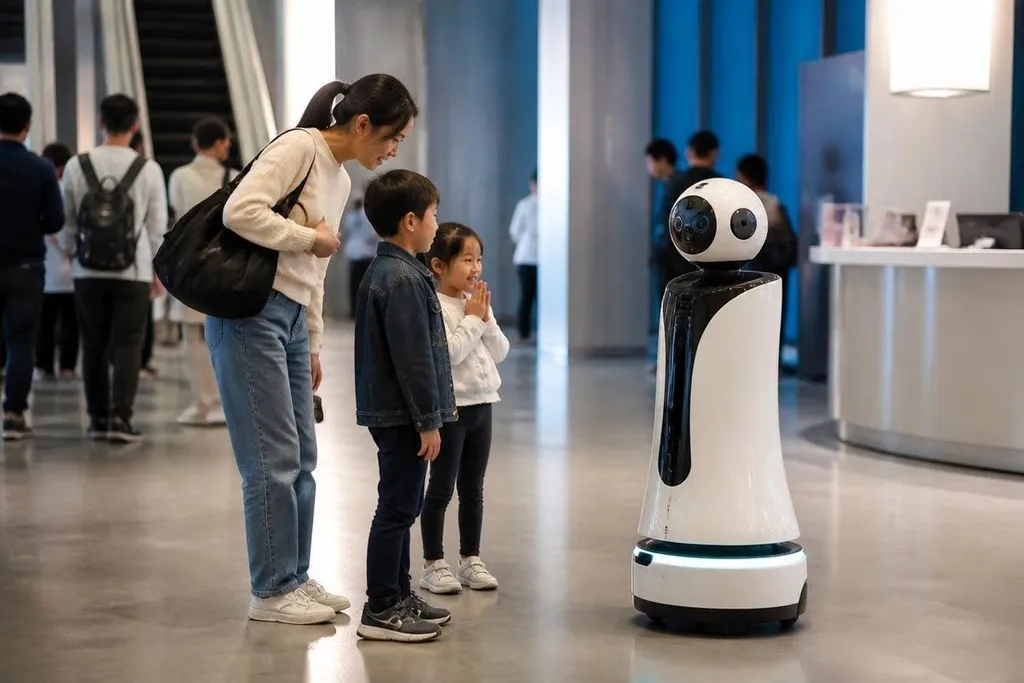
An entertainment robot can greet visitors, perform on stage, guide guests, or run a game. The business question starts after the first demonstration: who pays for the robot, and what keeps paying after the novelty fades?
For a venue manager, the best opportunity may sit in repeat services rather than one large machine sale.
- Repeat bookings: Robots can support tours, shows, parties, and seasonal events.
- Paid interaction: Guests may pay for games, photos, lessons, or guided activities.
- Service income: Software updates, repairs, content, and staff training can extend the contract.
Where the money can come from
Ticket sales are only one route. A venue could rent a robot for a set number of days, pay per event, or sign a service contract that includes maintenance and new content. Each model places the cost in a different part of the budget.
Rental suits venues with changing visitor numbers. A museum may want a robot during school holidays, while a shopping center may need one for a short promotion.
The venue avoids owning equipment that sits unused between events, but the rental price must cover transport, setup, staff time, and repairs.
A purchase can make more sense when the robot has a daily job. A guide robot may welcome guests at set times, answer common questions, and lead people to exhibits. That work matters when it reduces queues or lets staff spend more time on tasks that need human judgment.
Content can create a second source of income. A robot with a screen, speaker, camera, or moving arm may run different routines for a sports event, school visit, product launch, or holiday program. The hardware stays in place while the paid content changes.
Which tasks suit a robot
Entertainment robots work best when the task is repeated, visible, and easy to check. A simple greeting can be tested before the doors open. A stage routine can follow a fixed sequence. A game can record scores and reset for the next guest.
That does not mean every public task belongs on a robot. A venue needs clear rules for camera use, recorded audio, personal data, access for disabled guests, and emergency stops. A machine that moves near children also needs safe speed limits and a staff member who can stop it quickly.
The physical setting matters too. Steps, bright sunlight, loud music, crowds, and loose cables can affect sensors and movement. A robot built for a controlled indoor floor may need changes before it works in a busy event hall.
A business plan for an entertainment robot needs evidence from paid events and repeat bookings, plus the work needed between shows. Reports from Robot24.com robotics coverage give those claims a date, venue, task, and operator role, so you can price a service around work the robot has done beyond a scripted performance.
The costs people miss
The purchase price is only one line on the budget. Staff need time to charge the robot, move it, check its software, clean its body, and handle guests when the machine cannot answer a request.
The operation may also need a network connection, storage for recorded data, spare parts, insurance, and a safe place to park the robot. If the system depends on remote teleoperation, the plan must include a trained operator and a backup for lost network access.
Content work can add a steady cost. New scripts, voices, gestures, languages, and games need testing before guests see them. A robot that repeats the same routine for months may lose value unless the venue has a reason to refresh the experience.
The strongest opposing view is that a human performer may create a better connection at a lower cost. That can be true for a small venue with limited repeat traffic. A robot earns its place when its task is frequent, measurable, and hard to cover with the available staff.
A practical buying check
Before signing a contract, a venue manager should check:
- Paid task: Name the guest action or staff task that creates value.
- Use schedule: Count the days and hours the robot will work each month.
- Full cost: Add transport, power, staff, repairs, insurance, and content.
- Safety plan: Set speed limits, stop rules, access controls, and staff duties.
- Failure plan: Decide what happens when the robot loses power, network access, or a sensor.
- Exit terms: Check who owns the data, software, spare parts, and hardware after the contract.
This check also helps compare a robot with a performer, kiosk, display, or human guide. The right choice depends on the task and the number of paid uses, not on how well the machine looks during a short demo.
I’d focus first on robots that support a clear paid activity, then add shows and social features after the daily business case works.
The next useful test is small: run the robot during a defined event period, record paid interactions and staff hours, then decide if the numbers justify another booking.